Skip to content
GENESYSGENE GENE
by JUMPHASH JUMPHASHRuns on ForgeOS A JUMPHASH product on the GENESYS platform

Answers from the cameras a store already has.

Haytham Retail counts footfall, dwell time and queues from the cameras already on the ceiling, and tells the right person when a till or a zone needs them. Every number names the camera and the moment it came from, and no face is ever needed. JUMPHASH builds it on the same components as GENESYS.

  1. FootfallCounted at the door
  2. Queue buildingOpen the second till
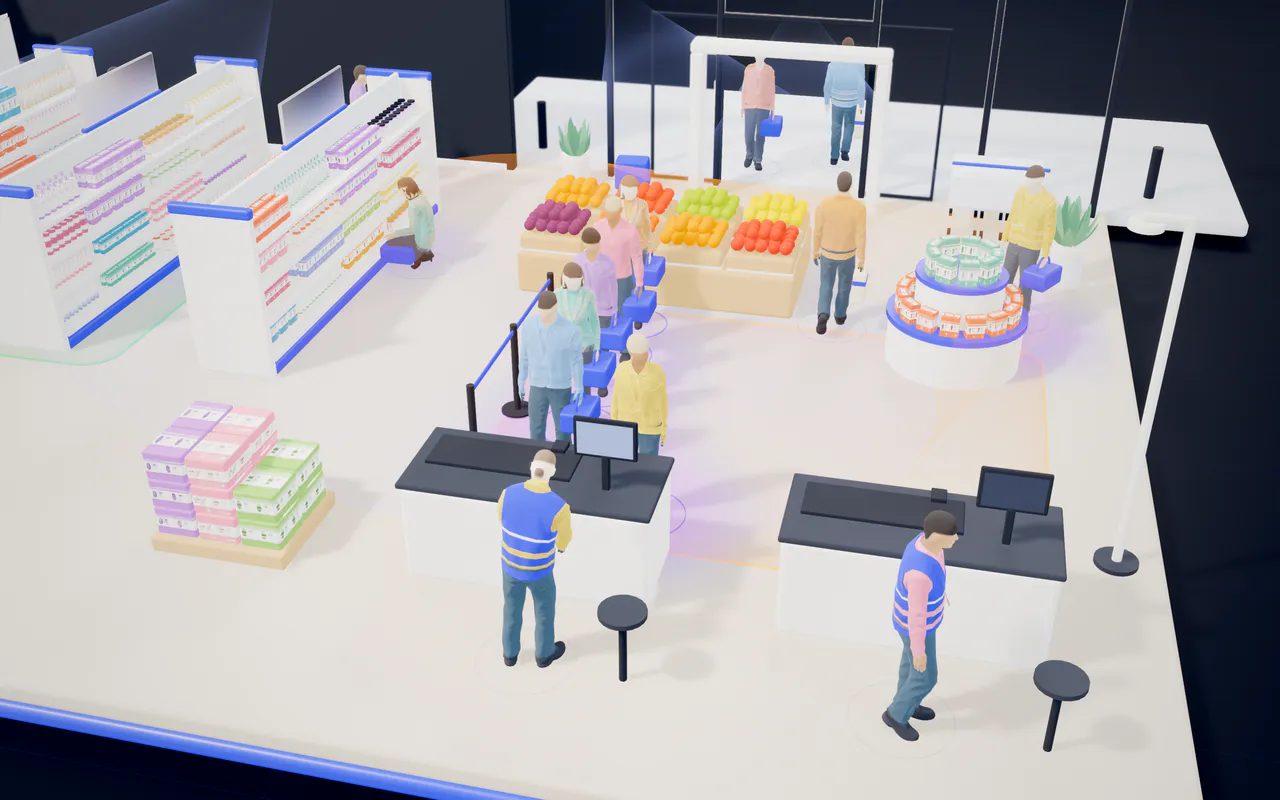
A store seen from above as shoppers move between the aisles, the produce and the tills, counted by the cameras on the ceiling.
  1. FootfallCounted at the door
  2. Queue buildingOpen the second till
Westfield store, todayLive Footfall4,293, up 10% Till oneSix waiting Faces storedNone
The problem

The cameras see everything. Nobody has time to watch.

A store already records its doors, aisles and tills all day. The questions that matter, how busy it is, where people wait and where staff are short, are still answered by walking the floor.

Shoppers queuing at one till while the second till stands closed, under the checkout camera.
  1. Queue buildingSix waiting at till one
  2. Second tillClosed, no one told
  3. Checkout cameraAlready on the ceiling
  1. Queue buildingSix waiting at till one
  2. Second tillClosed, no one told
  3. Checkout cameraAlready on the ceiling
  • Cameras everywhere, footage unused

    Most stores already film every aisle and till. The footage is kept in case something goes wrong, and almost never answers a question about the floor.

  • Queues found too late

    A queue is noticed when someone complains or walks out, not at the moment the second till should have opened.

  • Staffing by last year's pattern

    Rotas follow habit rather than today's footfall, so a zone runs short at the busy hour and full at the quiet one.

How it works

From the camera on the ceiling to the person who can act.

The cameras stay where they are. Haytham reads their feeds in the cloud or on a ForgeOS appliance in the store, turns people into counts, dwell times and queues, and sends an alert to the right phone when something needs a person.

How Haytham works · one store, one afternoon No faces kept
  1. Step 1: Cameras

    The ones already on the ceiling

    • Ceiling cameras Westfield store 6 of 6 online
      • Front entrance, strong signal
      • Back entrance, strong signal
      • Zone A aisle, strong signal
      • Zone B aisle, fair signal
      • Checkout, strong signal
      • Stockroom, strong signal
  2. Step 2: Haytham

    In the cloud or in the store

    • In the cloud Run and updated by JUMPHASH Connected

      Nothing to install on the floor

    • or
      On site, on ForgeOS An appliance in the comms room Online

      Video stays in the store

  3. Step 3: What it works out

    From boxes and skeletons, never faces

    • Counts, dwell and queues Per zone, with the camera and the moment
      Footfall
      4,293 up 10%
      Front entrance cameratoday
      Average dwell
      4.2 min
      Aisle camerastoday
      Queue at till one
      6 waiting
      Checkout camera15:42
      Zone A
      14 visitors, 1 staff
      Zone A aisle camera15:33
      Faces kept
      None
  4. Step 4: The right person

    Told while there is time to act

    • Shift lead's phone Alert at 15:42
      Queue building at till one Six waiting. Open the second till. Checkout camera15:42
    • Manager's dashboard Every store on one screen
      • RiversideQueue over target
      • DowntownOne camera offline
      • WestfieldAll good
  • Video feed
  • Counts and boxes, no faces
  • Alert
  • A store runs one of the two routes

From a camera already on the ceiling to the till that needs opening.

Faceless by design

The floor is measured, not watched.

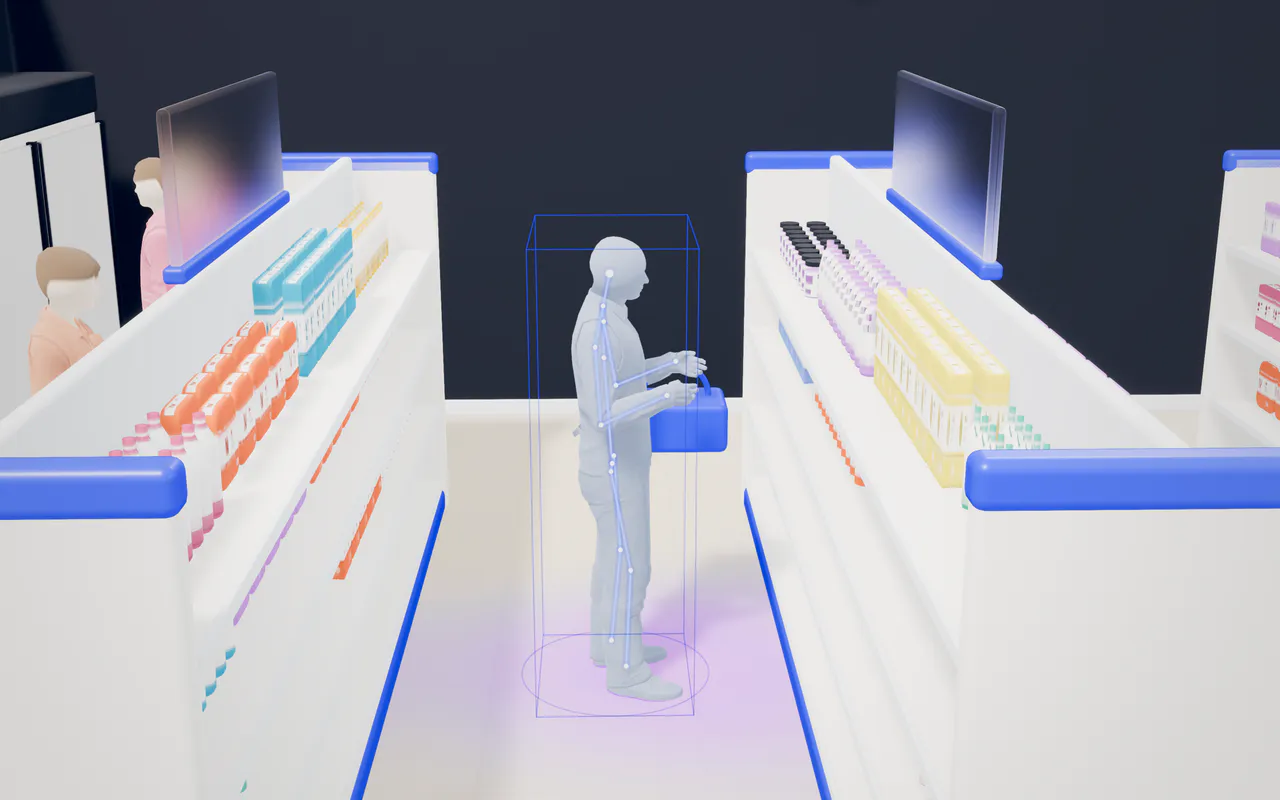
Haytham needs to know where people are and how long they stay, not who they are. So a person becomes a box and a skeleton the moment the camera sees them, and that is all that is kept.

A shopper in a store aisle shown as a plain, faceless figure with a skeleton outline and a tracking box.
  1. 01The camera sees a shopperThe feed is read where it is processed, in the cloud or in the store.
  2. 02It becomes a box and a skeletonNo face is cut out or kept. The picture of the person is not stored.
  3. 03The screen shows a countCounts, dwell and queue times, each with its camera and moment.

What Haytham keeps

  • A box and a skeletonWhere each person is on the floor, and the outline of how they stand and move.
  • Counts and timesHow many came in, how long they stayed in each zone, how long they waited.
  • The camera and the momentWhich camera saw it and when, so every number can be traced back.

What it never keeps

  • FacesNo face is cut out, compared or stored.
  • Who someone isNo names, no identities, nothing that follows one person from visit to visit.
  • A picture of the personThe screen shows boxes and skeletons, never the shopper.

Every number is real. No one in it can be named.

Try it · one day on the floor

Watch a day build up, then act on the queue.

The heat map fills in hour by hour as people move through the store. When the queue at till one runs over its target, the alert goes to the shift lead's phone. Open the second till and see the queue zone clear.

Westfield store · one day on the floor Interactive
Front entrance camera Aisle camera Produce camera Checkout camera
  • Time spent, quiet to busy
  • Shopper
  • Staff
  • Ceiling camera
  • Zone
  • Footfall line
  • Under targetBuildingOver target

13:12. Queue over target at till one: 6 waiting, 4 min 10 s average. The alert is on the shift lead's phone.

Westfield store · today
13:12Lunchtime peak
In store now
116
Front entrance camerain and out13:12
Footfall so far
1,710
Front entrance camera08:00 to 13:12
Waiting at the tills
6Over target
Target 4 min
Checkout camera4 min 10 s averagetill one open

Shift lead's phone

Haytham Retailnow

Alert: Queue over target at till one

6 waiting, 4 min 10 s average

Checkout camera13:12

  1. Queue building at till one12:42

The second till opens before the queue walks out.

Every store on one screen

Every store side by side, and what needs attention first.

Footfall, conversion, dwell and queue times for each store, against its own targets. The stores that need a person rise to the top, with the camera and the moment behind every number.
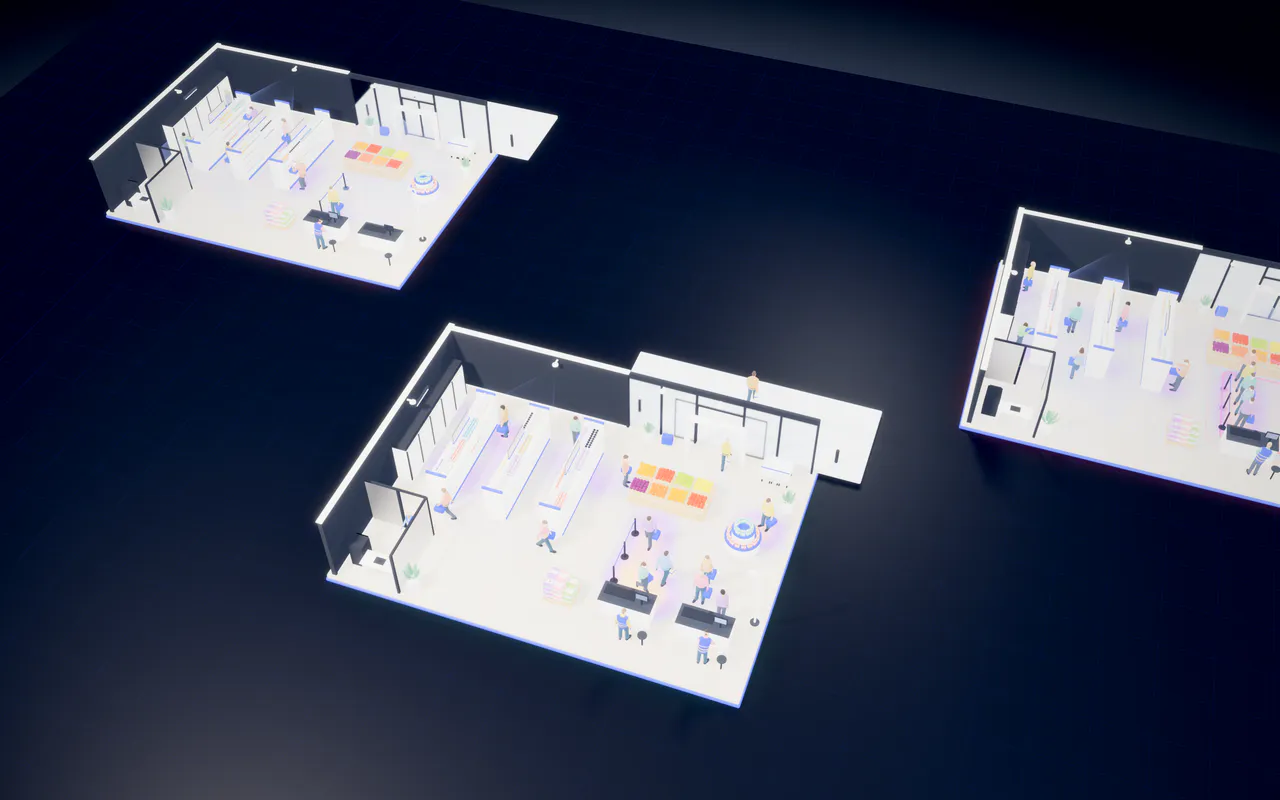
Three stores seen from above, side by side: Westfield, Riverside and Downtown.
  1. WestfieldAll good
  2. RiversideQueue over target
  3. DowntownOne camera offline
  1. WestfieldAll good
  2. RiversideQueue over target
  3. DowntownOne camera offline
All stores · today · 15:42
Live

All stores together

  • Footfall
    9,810 up 5%against yesterday
    Entrance camerassince 08:00
  • Conversion
    75.5% up 0.5 pointsagainst yesterday
    Till receiptsagainst footfall
  • Average dwell
    4.8min On target3 to 6 min
    Aisle camerastoday
  • Waiting at the tills
    17now Longest wait 6 min 20 s, Riverside
    Riverside 9Downtown 2Westfield 6
    Checkout cameras15:42

Store performance

3 stores · most urgent first
Each store today: footfall, conversion, average dwell, footfall over the last 7 days and status
StoreFootfallConversionAvg. dwellLast 7 daysStatus
Riverside 3,118up 4% 74.6% 6.4 min Level over the week Queue over target
Downtown 2,399down 3% 68.2% 3.9 min Easing over the week One camera offline
Westfield 4,293up 10% 80.3% 4.2 min Rising over the week All good

Needs attention first

3 open
  1. CriticalRiverside Queue over target at till two Average wait 6 min 20 s against a 4 min target. Checkout camera15:42
  2. Camera lostDowntown Stockroom camera offline Counts for the back zone are paused, not guessed. Stockroom cameralost 12 min ago
  3. WarningWestfield Zone A short of staff 14 visitors and 1 staff member for 9 minutes. Zone A aisle camerasince 15:33

Resolved today

  • Westfield Second till opened, queue cleared Checkout camera13:16
  • Downtown Fitting room queue cleared Fitting room camera11:40
  • Riverside Front entrance camera back online Front entrance camera09:05

Cameras and appliances

15 of 16 cameras online
  • Riverside 5 of 5 cameras online
    • Front entrance Strong
    • Zone A aisle Strong
    • Zone B aisle Fair
    • Checkout Strong
    • Stockroom Strong
    In the cloud Connected Strong
  • Downtown 4 of 5 cameras online
    • Front entrance Strong
    • Aisles Strong
    • Fitting rooms Strong
    • Checkout Fair
    • Stockroom Lost at 15:30
    ForgeOS appliance Online Strong
  • Westfield 6 of 6 cameras online
    • Front entrance Strong
    • Back entrance Strong
    • Zone A aisle Strong
    • Zone B aisle Fair
    • Checkout Strong
    • Stockroom Strong
    ForgeOS appliance Online Strong
Deployment

In the cloud or in the store, on the cameras you have.

Start with a few stores in the cloud, or run Haytham on a ForgeOS appliance so the video never leaves the building. The product is the same either way.

  • In the cloud

    The camera feeds are processed by Haytham in the cloud. Nothing to install on the shop floor beyond a secure connection.

    • Quickest to start
    • Run and updated by JUMPHASH
    • Suits a few stores or a pilot
  • On site, on ForgeOS

    A ForgeOS appliance in the comms room runs the models next to the cameras. The video stays in the building; the counts and alerts go out.

    • Video never leaves the store
    • Keeps counting if the internet drops
    • Models updated overnight
  • On the cameras you already have

    Haytham starts from the cameras already on the ceiling, so a pilot does not begin with new hardware or a refit.

    • Camera health watched all day
    • A lost feed shows as lost
    • Add cameras only where a zone is blind
Film · 1:00

Haytham Retail: count, explain, act

The cameras a store already has, turned into footfall, dwell time and queue alerts, without ever needing a face.

English captionsNarrated1:00
Read the transcript

Haytham Retail: count, explain, act

Every store already has eyes on the floor. Cameras watch the doors, the aisles and the tills, and most of what they see is never used. Haytham Retail turns those cameras into answers: how many people came in, where they spent their time, and how many left with something in their hands.

It never needs a face. People become boxes and skeletons, so the floor is measured, not watched. When a queue starts to build, or a zone runs short of staff, the right person gets an alert, with the camera and the moment it came from.

Managers see every store on one screen: footfall, dwell and conversion, and what needs attention first. It runs in the cloud, or on site on ForgeOS, with the cameras you already have.

Haytham Retail. Count. Explain. Act.

Haytham Retail

See Haytham Retail on your own floor plan.

Book a demo on the layout of one of your stores, or talk to JUMPHASH about deploying Haytham with you.